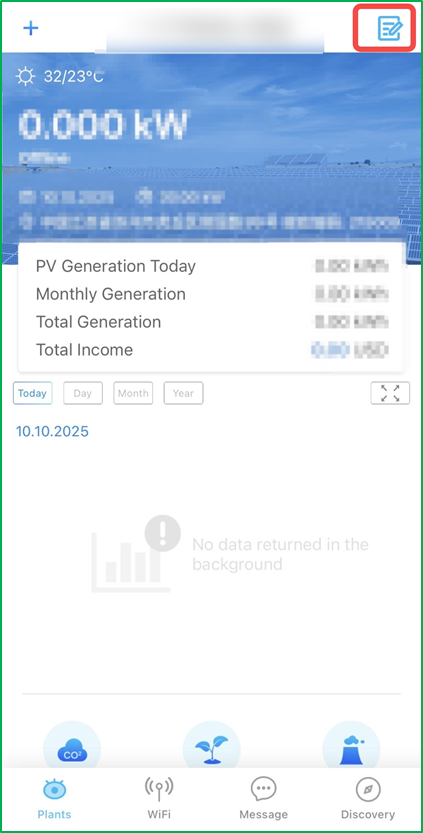
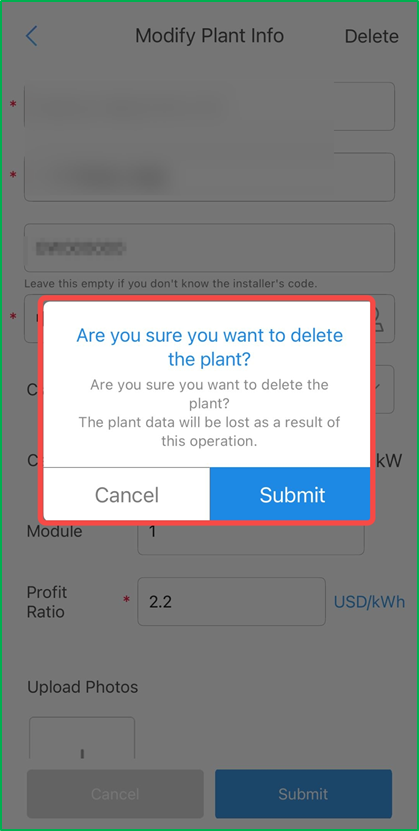
Delete the plant Crystal Xu 05 February 2026 02:21 Step 1: Click this icon on the Plants page. Step 2: Submit the info of deleting the plant. Related articles ☆ Transfer the SEMS Portal-account to a new owner Create a plant or add a new plant Monitor plant and set daily report on sems app WiFi Configuration via WEB ☆ Goodwe SEMS Account Registration Guide – Via Laptop Comments 0 comments Please sign in to leave a comment.

Comments
0 comments
Please sign in to leave a comment.